Skip to content

Theme

Get in touch
42 Editor app icon
Coming soon to the App Store

42 Editor

Code, config and CSV files, edited where they live

A code and text editor for iPhone and iPad. Open a file from Files, iCloud Drive or any other provider, edit it with syntax highlighting and a keyboard row made for code, and it is saved back to the same place.

Coming soon on the App Store

Not out yet. Leave your email below and we'll send one message on launch day.

Version 1.0 · Coming soon

Open the file. Edit it. It's saved where it was.

42 Editor works on your files in place, so there is nothing to import or export. Pick a file or a whole folder in the system picker, make your changes, and autosave writes them back to the original. If another app changed the file in the meantime, 42 Editor stops and asks which version to keep.

  • 29 languages
  • CSV as a table
  • Keyboard row for code
  • Markdown & HTML preview
  • iPhone & iPad
  • Works offline

App Information

Quick facts about 42 Editor for iOS

DeveloperCS42
AvailabilityComing soon to the App Store
PriceFree
CategoryDeveloper Tools
CompatibilityiOS 17.0 or later · iPhone & iPad
LanguagesEnglish
Age RatingSet at launch
In-App PurchasesNone
AccountNone needed
Data CollectedNone
Syntax Highlighting29 languages, light and dark
Works OfflineYes. Files in cloud providers sync through the provider

About 42 Editor

What is 42 Editor?

42 Editor is a code and text editor for iPhone and iPad. It opens the files you already have, in the Files app, iCloud Drive, Working Copy, Dropbox or any other file provider, and saves your changes back to the same file. There is nothing to sign in to and nothing is uploaded.

Read more Show less

Sometimes the file that needs fixing is a config file, a script or a spreadsheet export, and the only device to hand is a phone. 42 Editor is made for those moments. Open a single file, or open a whole folder and move around it, and the editor keeps the things that matter to the file the way they were: its text encoding, its line endings and whether it ends with a newline.

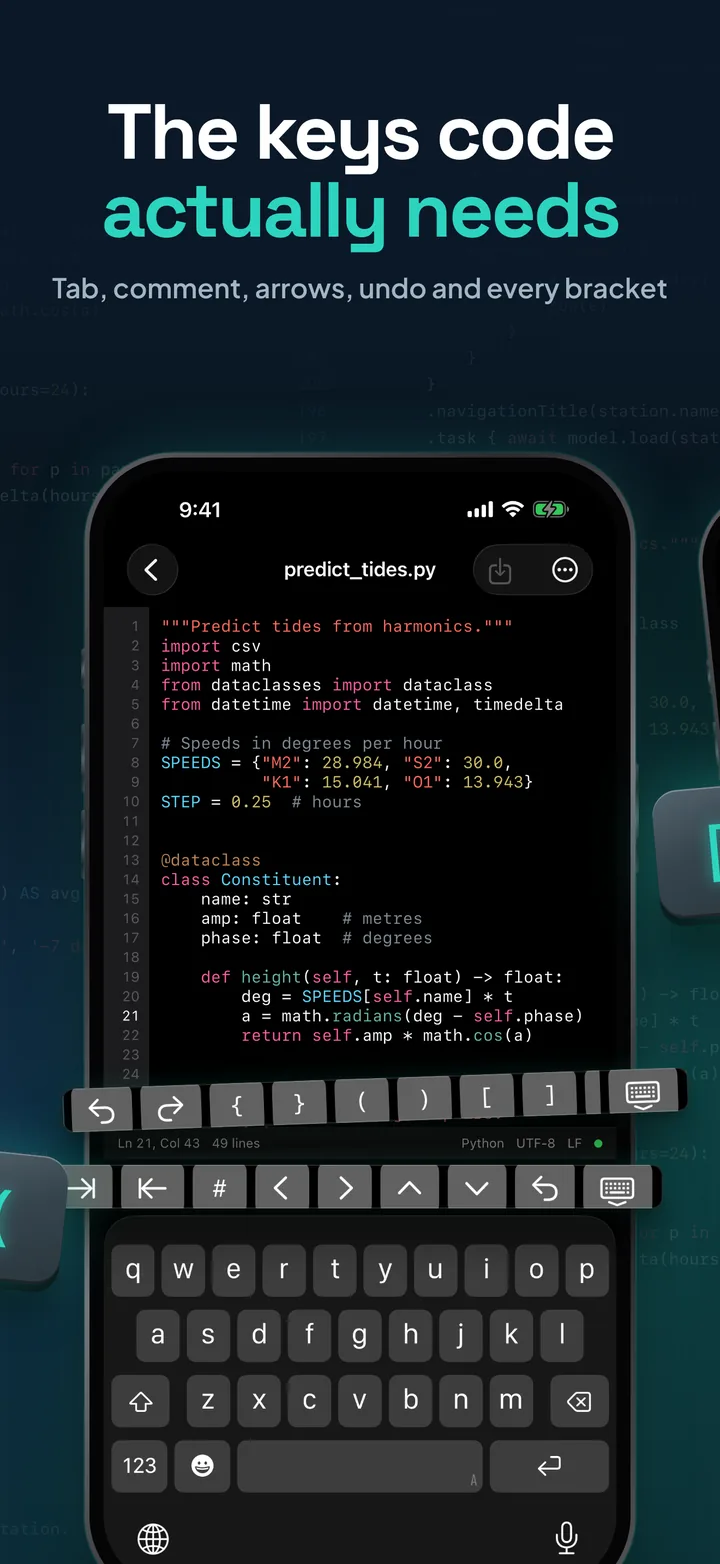
The keyboard gets a row of its own above it, with Tab and outdent, a comment toggle, cursor keys, undo and redo, and the brackets and symbols that are buried on the iOS keyboard. CSV and TSV files open as a table you can sort, filter and edit cell by cell, and Markdown and HTML files have a preview a tap away.

42 Editor is an editor, not a place to run code. It does not compile or run anything, so your files stay exactly as you typed them.

Key Features

Edit in Place

Open File or Open Folder from any provider in the Files app. Changes go back to the original, and recent files reopen with one tap.

Syntax Highlighting

29 languages, from Python, Swift and JavaScript to SQL, YAML and Dockerfile, with light and dark palettes.

A Keyboard Row for Code

Tab and outdent, comment toggle, cursor keys, undo, redo, and the symbols the iOS keyboard hides.

Find and Replace

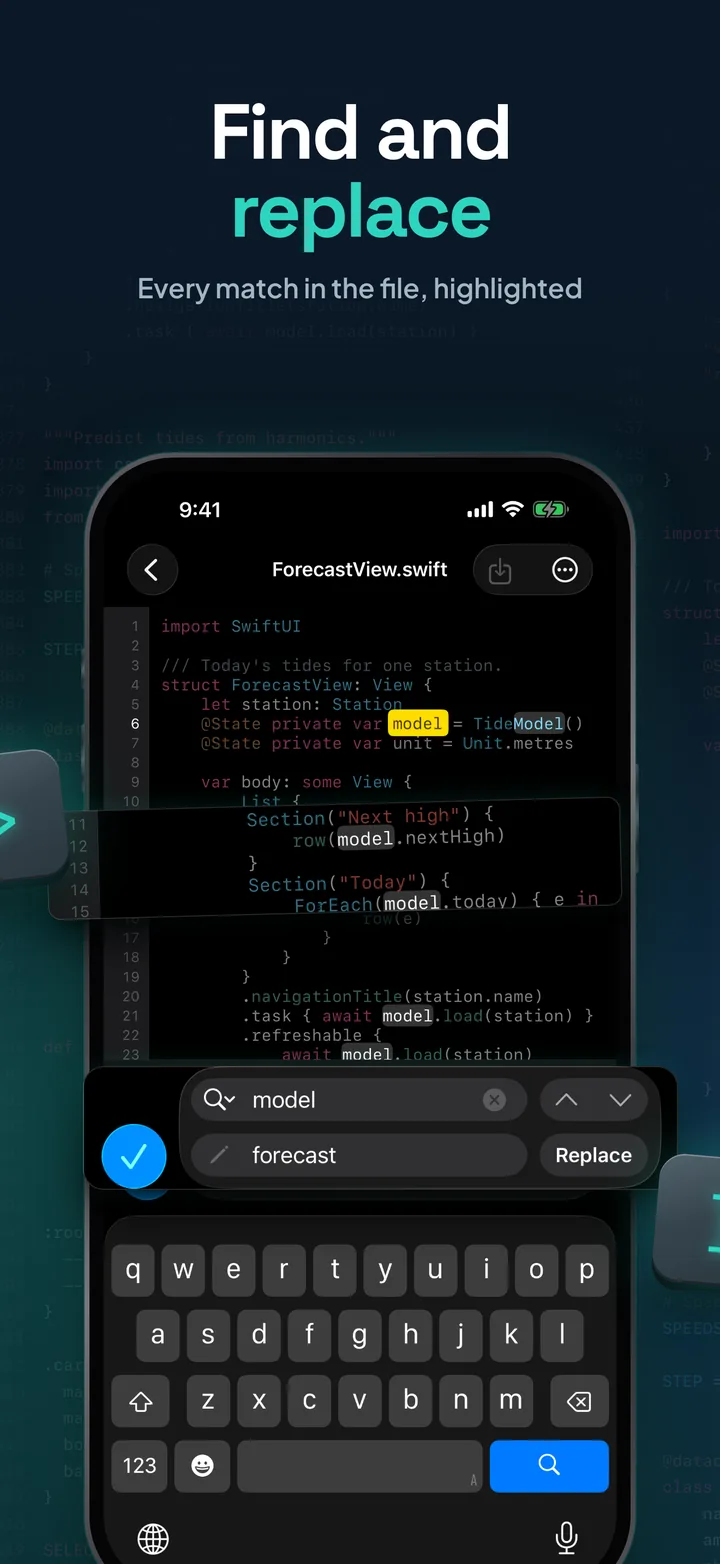
The system find panel, Go to Line, toggle comment, and indent or outdent a whole selection.

CSV and TSV as a Table

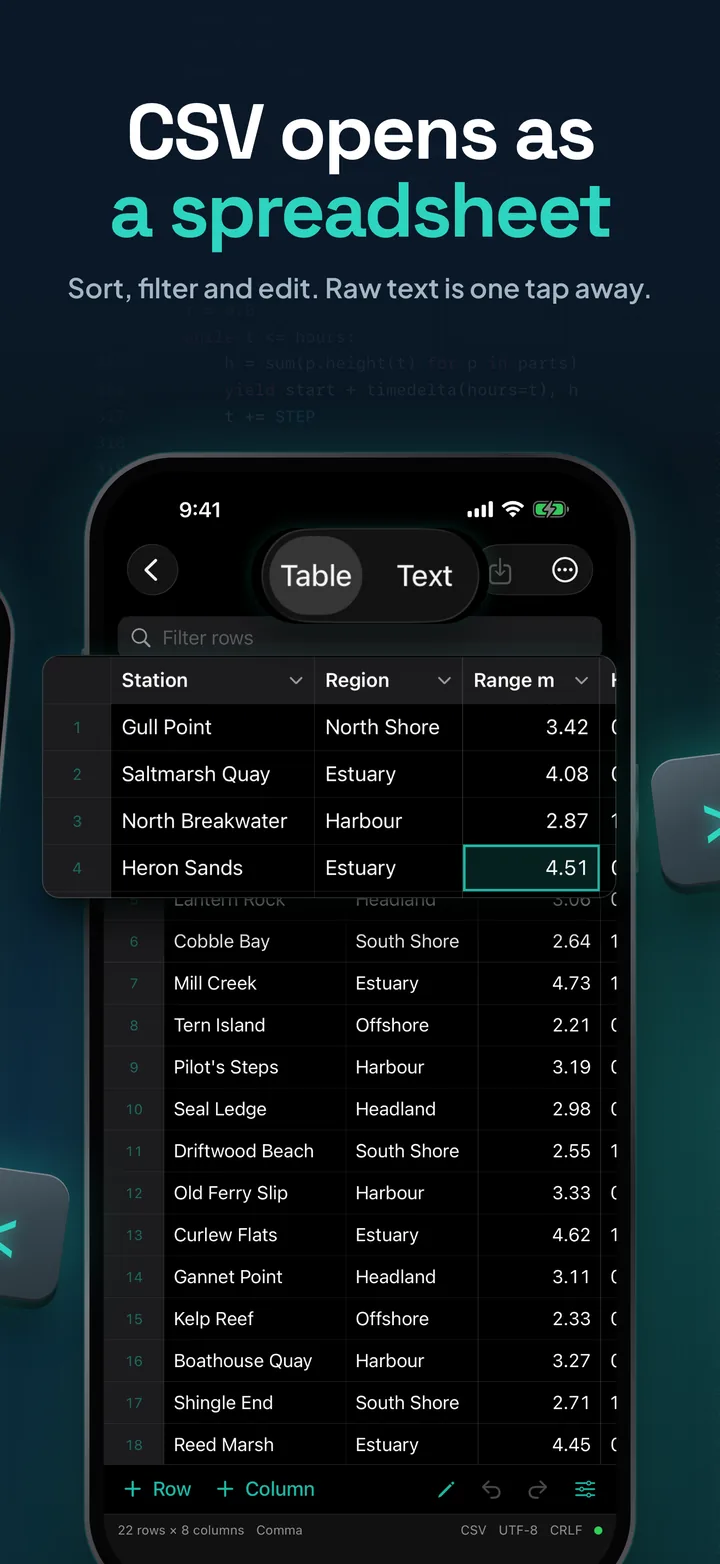
A grid with a pinned header row. Edit cells, add, duplicate or delete rows and columns, sort, filter, and undo.

Markdown and HTML Preview

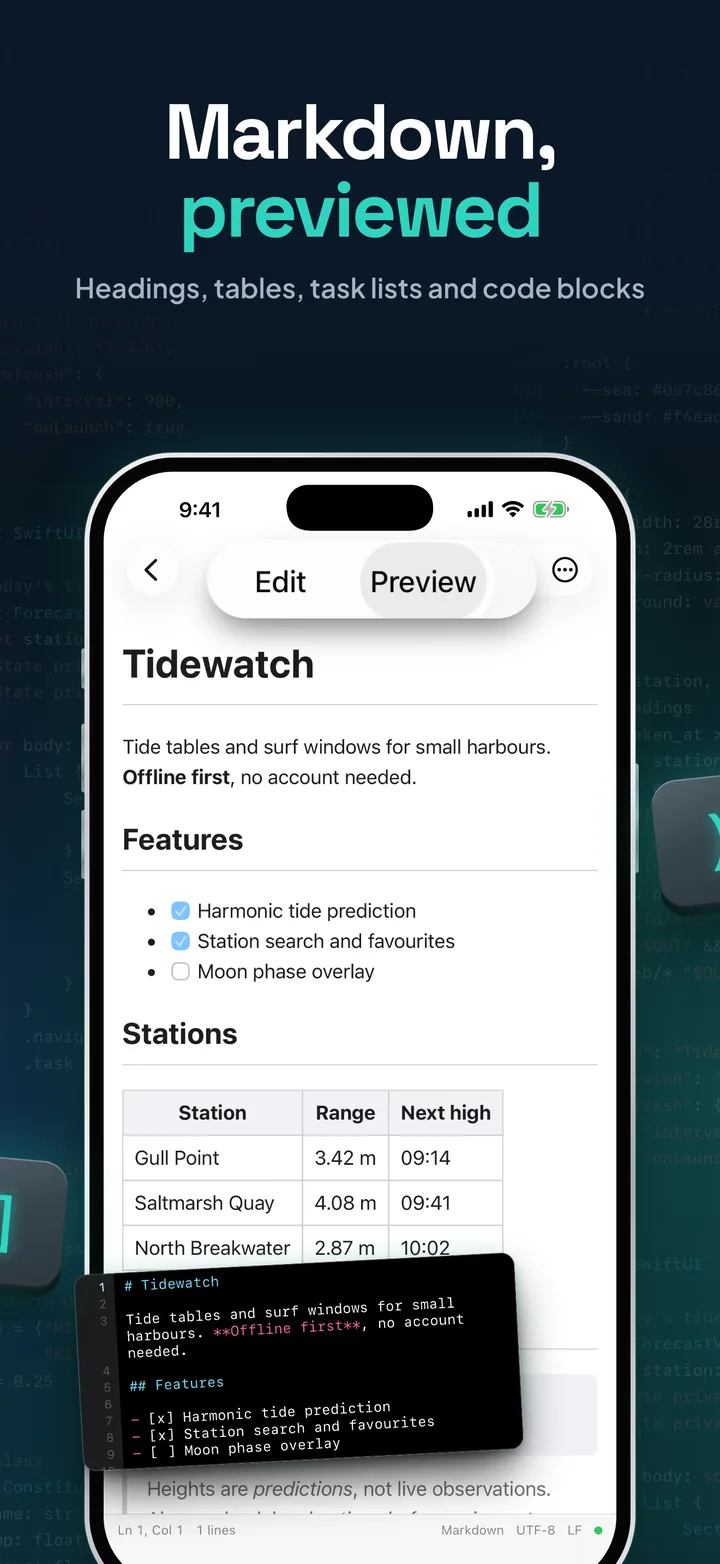
Switch between Edit and Preview. Headings, lists, tables, code blocks and task lists in Markdown; HTML as a page.

Careful Saving

Keeps each file's encoding, line endings and final newline. Autosaves two seconds after you stop typing, and asks first if another app changed the file.

Nothing Uploaded

No account, no analytics and no ads. Your files stay on your device and in the providers you choose.

More

  • Folders. Create, rename, duplicate and delete files and folders inside a folder you opened. Opened folders are remembered on the home screen.
  • Open in 42 Editor from the Files app and the share sheet. New files go to On My iPhone › 42 Editor, which also shows up in the Files app.
  • Auto-indent, with an extra level after an opening bracket and after a colon in Python, optional closing of brackets and quotes, and tabs or spaces at 2, 4 or 8 wide.
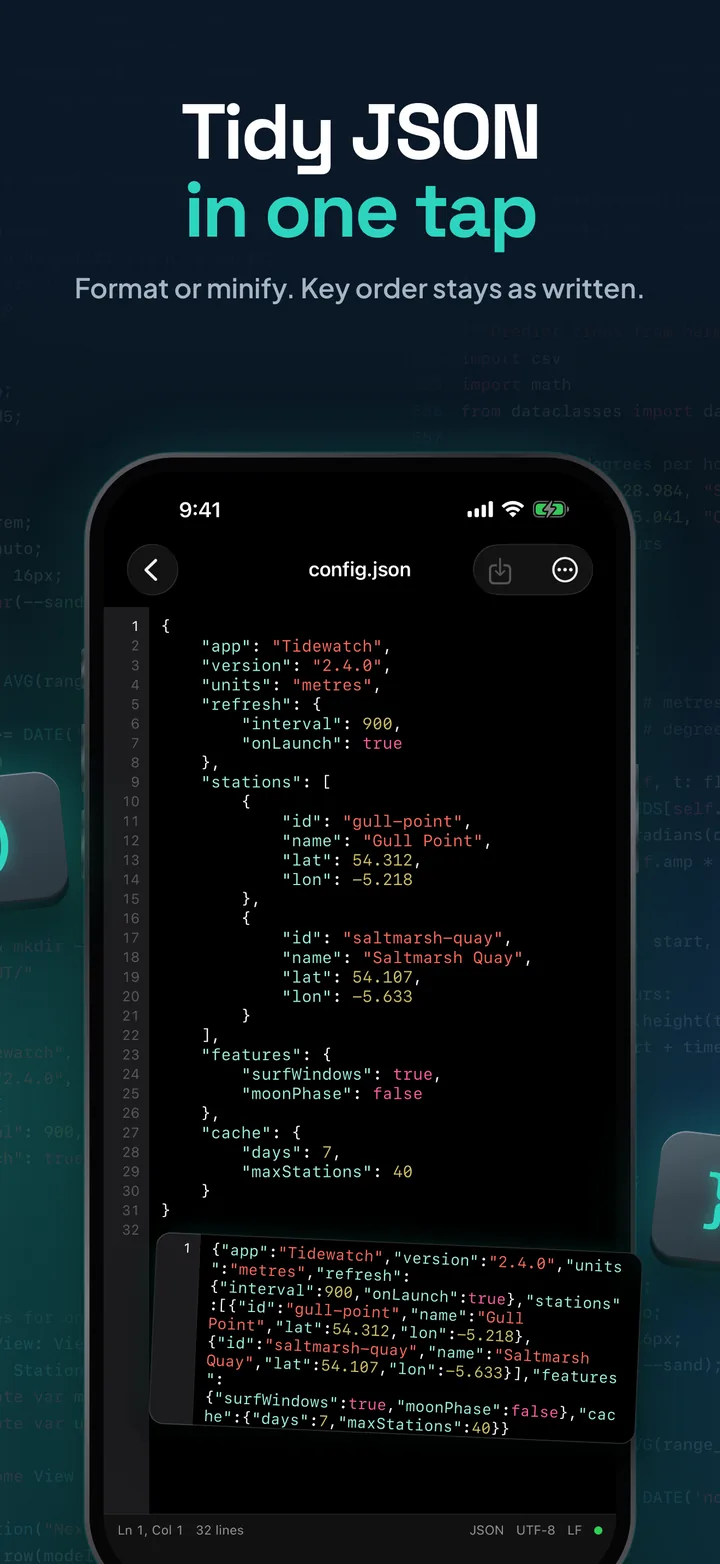
  • JSON format and minify, keeping the order of the keys.
  • Line numbers with the current line marked, and long lines that wrap or scroll sideways.
  • Text encodings: UTF-8 with or without BOM, UTF-16 and Windows-1252. Line endings: LF, CRLF and CR.
  • Large files: full highlighting up to 150 KB, highlighting of the visible part up to 3 MB, plain text above that, and files up to 20 MB.
  • Your look: System, Light or Dark, with the font size from 9 to 32 pt.
  • iPad as well as iPhone, with ⌘S to save on a hardware keyboard.

Twenty-nine languages, highlighted

The language is picked from the file name, and you can change it from the editor's menu.

  • Programming

    17 languages

    • Python
    • Swift
    • JavaScript
    • TypeScript
    • C
    • C++
    • Objective-C
    • C#
    • Java
    • Kotlin
    • Go
    • Rust
    • PHP
    • Ruby
    • Dart
    • Lua
    • R
  • Data and config

    5 formats

    • JSON
    • YAML
    • TOML
    • INI / config
    • XML
  • Web and writing

    3 languages, two with a preview

    • HTML
    • CSS
    • Markdown
  • Shell, queries and builds

    4 kinds of file

    • Shell
    • SQL
    • Makefile
    • Dockerfile

Any other text file opens as plain text. CSV and TSV files open as a table, with the raw text one tap away.

Screenshots

The App Store set is one continuous picture, so keep swiping.
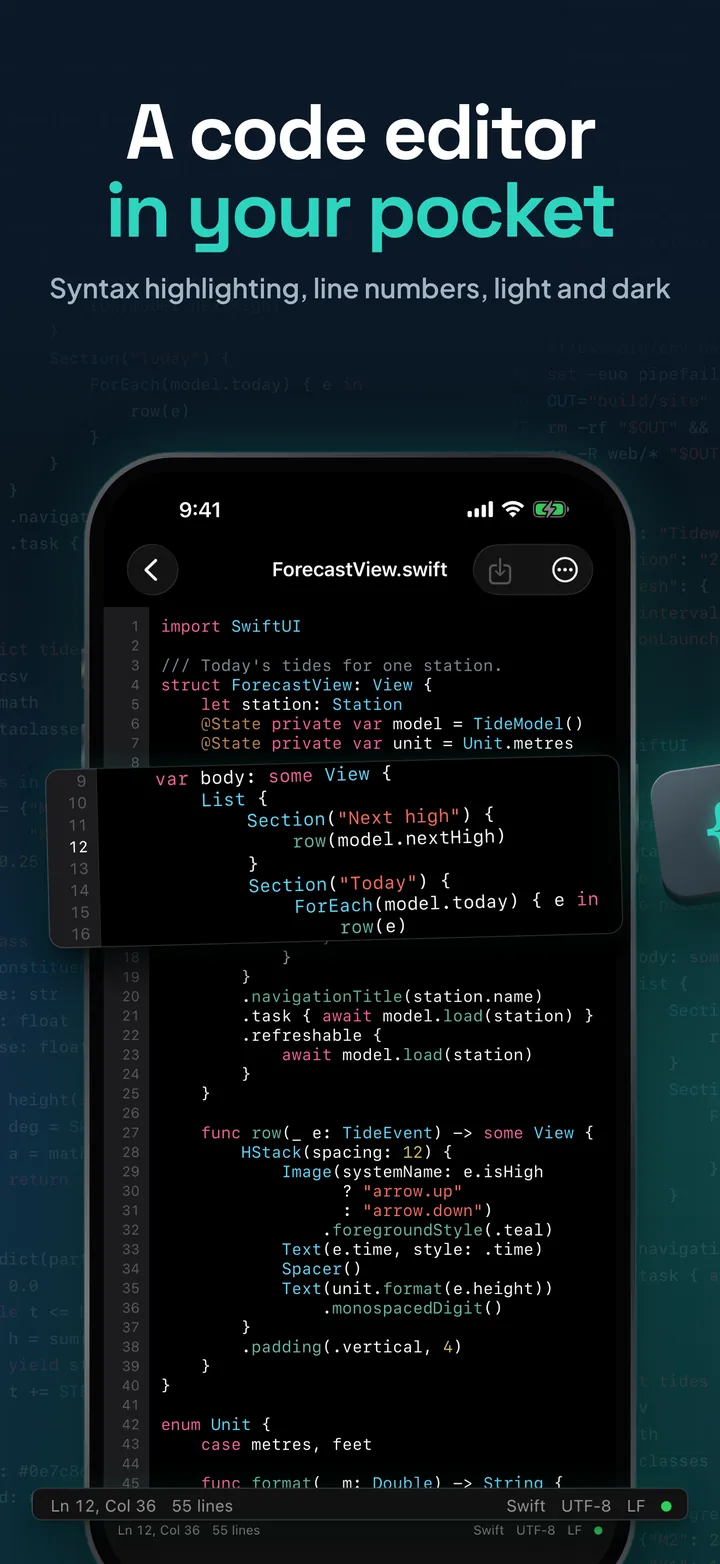
A code editor in your pocket: a Swift file open in dark mode with syntax highlighting, line numbers and the current line marked, and the status bar showing line 12, column 36, Swift, UTF-8 and LF.
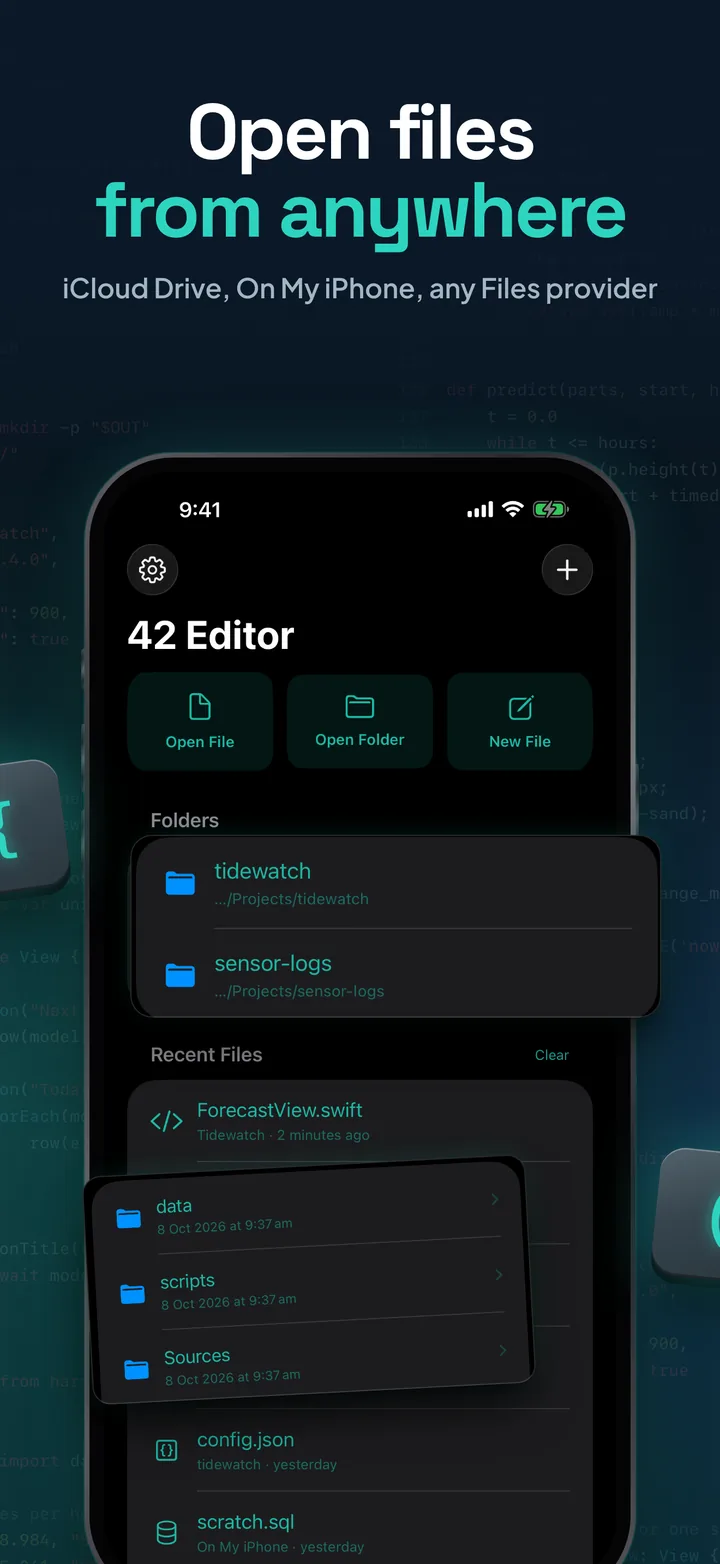
Open files from anywhere: the 42 Editor home screen with Open File, Open Folder and New File, two opened folders and recent files, with the tidewatch folder's contents lifted out beside the phone.
The keys code actually needs: a Python file with the keyboard up and the developer key row above it, with tab, outdent, comment, arrow, undo and bracket keys.
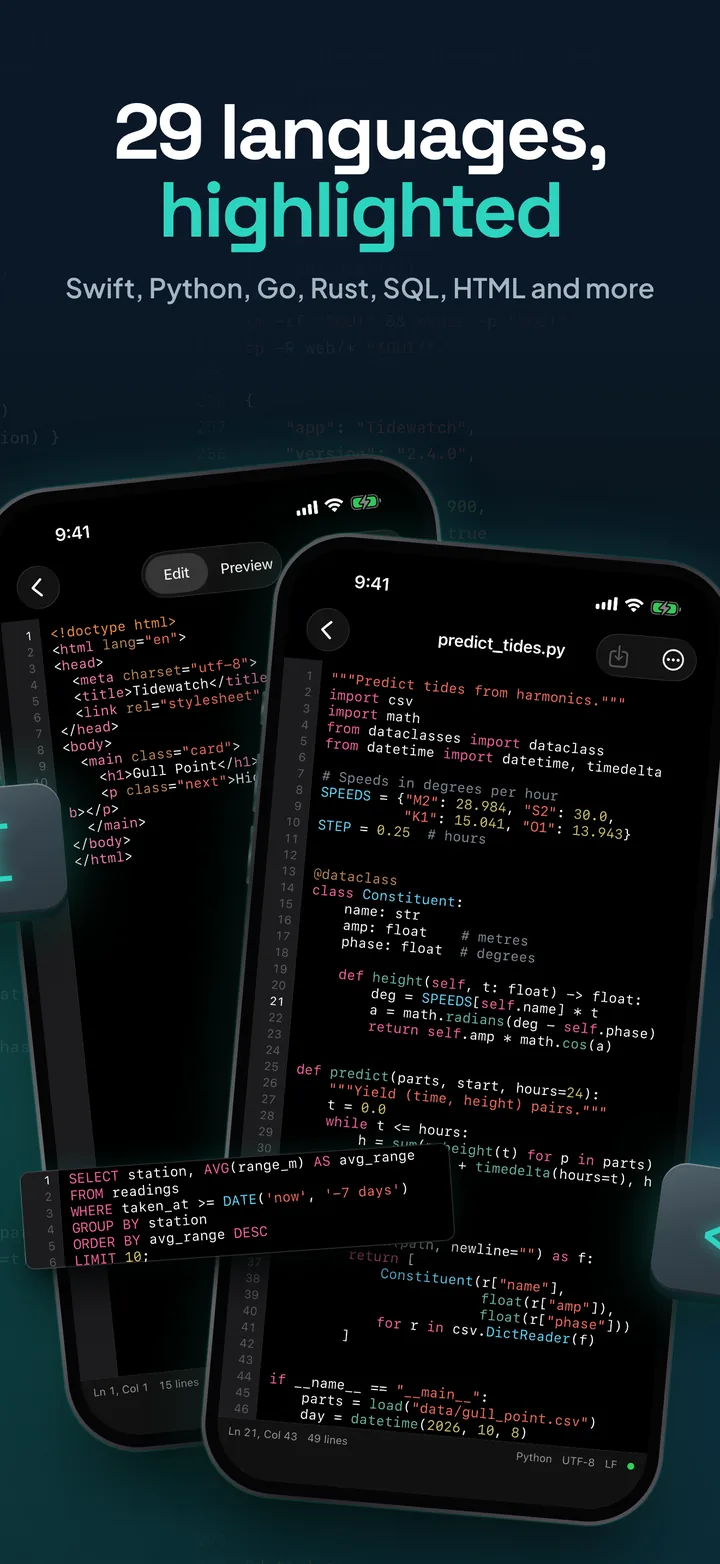
29 languages, highlighted: an HTML file and a Python file side by side, with a highlighted SQL query lifted out beside them.
CSV opens as a spreadsheet: a CSV of tide stations in the table view with a pinned header row, row numbers and a selected cell, 22 rows by 8 columns.
Find and replace: the find bar searching for model with forecast as the replacement, and every match highlighted in the Swift file.
Markdown, previewed: a README in Preview mode in light mode, with headings, a task list, a table and a code block, and its Markdown source beside the phone.
Tidy JSON in one tap: a config file formatted over 32 indented lines, with the original one-line minified version beside it.
42 Editor, code, config and CSV files on iPhone: the app icon with 29 languages, CSV tables, edits in place and nothing uploaded.

Swipe or scroll sideways: each panel picks up where the last one ends.

Terms & Conditions

Effective date: October 8, 2026 · Last updated: October 8, 2026

42 Editor saves your changes to the original file, so keep backups of files that matter and check your edits before you rely on them. The app is free and provided as is. Read the full terms →

Read full terms Show less

1. Acceptance of Terms

By downloading, installing or using the 42 Editor application ("the App"), published by CS42.org ("we", "us", "our"), you agree to these Terms and Conditions. If you do not agree, please do not use the App.

2. Description of Service

42 Editor is a free code and text editor for iPhone and iPad. It opens text files from your device and from the file providers available in the Files app, edits them in place with syntax highlighting, shows CSV and TSV files as an editable table, previews Markdown and HTML files, and saves your changes back to the original file. It does not run or compile code.

3. Licence

We grant you a personal, non-exclusive, non-transferable, revocable licence to use the App on Apple devices you own or control, in line with the Apple Media Services Terms and Conditions. We retain all rights not expressly granted.

4. Your Files

The files you open, create and edit with the App are yours. We claim no ownership of them and, because they are never sent to us, we have no access to them. You are responsible for the content of your files, for having the right to change them, and for anything you choose to share.

5. Editing in Place and Backups

The App saves your changes to the original file: when you tap Save, and, with Autosave on (the default), two seconds after you stop typing and whenever you leave the file or the App. Deleting a file or folder in the App's folder view removes it from where it is stored, and the App cannot undo that. Choosing Open as Text Anyway for a file that is not text, and then saving it, can damage it. Keep backups of files that matter.

6. Formatting, Tables and Highlighting

Syntax highlighting, JSON formatting, CSV and TSV parsing and the encoding and line-ending detection are aids. They can misread unusual files, so check the result before you rely on it, especially before saving a file that other software depends on.

7. The Preview

The preview shows an HTML or Markdown file as a web page. Like a browser, it loads any images, stylesheets or scripts the file refers to at web addresses, and it runs the scripts in an HTML file. Preview only files you trust. Links you tap in the preview open in Safari or your mail app.

8. Third-Party File Providers

iCloud Drive, Dropbox, Working Copy and other file providers are run by their own companies under their own terms. Their syncing, availability and handling of conflicting versions are outside our control.

9. Acceptable Use

  • You shall not reverse-engineer, decompile or disassemble the App, except where that restriction is prohibited by law.
  • You shall not use the App for any unlawful purpose, or to change files you have no right to change.

10. Availability and Changes

We may add, change or remove features at any time, and we may stop supporting the App.

11. Disclaimers

The App is provided "as is", without warranties of any kind, express or implied, including fitness for a particular purpose and uninterrupted or error-free operation. We do not warrant that the App will open, display or save every file correctly.

12. Limitation of Liability

To the fullest extent permitted by law, CS42.org is not liable for indirect or consequential loss, including the loss or corruption of files or data, arising from your use of the App. Nothing here limits liability that cannot lawfully be limited.

13. Termination

You may stop using the App at any time by deleting it. This licence ends automatically if you breach these terms.

14. Governing Law

These terms are governed by the laws applicable at the developer's place of establishment, without regard to conflict-of-law principles.

15. Changes to Terms

We may update these terms. The dates at the top change when we do, and continued use after an update means you accept the revised terms.

16. Contact

If you have any questions about these terms, contact us at hello@cs42.org.

Last updated: October 8, 2026

Privacy Policy

Effective date: October 8, 2026 · Last updated: October 8, 2026

Your files stay where you keep them. 42 Editor has no accounts, no servers and no analytics. It opens files on your device and in the file providers you choose, and saves them back there. We collect nothing, so there is nothing to sell, share or delete. Read the full policy →

Read full privacy policy Show less

CS42.org ("we", "us", "our") built 42 Editor as a free code and text editor. This policy explains what the app handles and where it goes. The short version: your files stay on your device and in the storage providers you choose. 42 Editor has no accounts, no servers of its own and no analytics, and it contains no code that sends your files or data to us or to anyone else.

1. What We Collect

Nothing. We operate no servers for the app and receive no data from it. We cannot see your files, their names or contents, or how you use the app.

2. Your Files

The app reads and writes only the files and folders you open with it: through the system file picker (Open File or Open Folder), from the Files app or the share sheet (Open in 42 Editor), or in its own folder, On My iPhone › 42 Editor. Your changes are saved back to the same file, on your device or in the provider that holds it. Files in iCloud Drive, Dropbox, Working Copy or any other provider are stored and synced by that provider under its own terms; 42 Editor only works with the copy iOS gives it.

3. What the App Stores on Your Device

  • Recent files and opened folders: each one's name, where it is (its path), when you last opened it, and a security-scoped bookmark. The bookmark is the permission iOS gives the app to reopen that file or folder without asking you to pick it again. The list keeps up to 30 recent files.
  • Preferences: theme, font size, tab width, spaces or tabs, line wrapping, line numbers, syntax highlighting, auto-indent, bracket closing, autosave, and whether a CSV file's first row is a header.
  • Files you create in the app, in its own folder (On My iPhone › 42 Editor), which you can also see in the Files app.

None of it is transmitted. It is not part of any account, because there is no account.

4. No Permissions Needed

42 Editor does not ask for access to your camera, microphone, photos, contacts or location, and it does not send notifications. It can reach a file or folder only after you pick it, and you can take that access back in the app at any time (see section 9).

5. The Preview and Links

The preview shows an HTML or Markdown file as a web page, inside the app. If the file refers to images, stylesheets or scripts at web addresses, the preview loads them from those addresses, the way a browser would, so the sites that host them receive an ordinary web request from your device, including your IP address. Scripts in an HTML file run in the preview as they would in a browser. Nothing from your file is ever sent to us. A link you tap in the preview opens in Safari or your mail app. A file that refers to nothing on the web is previewed without any network connection.

6. Sharing Is Always Your Choice

Nothing is shared automatically. When you tap Share, iOS hands the file to whichever app you pick, and from that point that app's privacy policy applies.

7. No Tracking, No Ads, No Third-Party SDKs

The app contains no advertising, no analytics, no crash-reporting services and no tracking identifiers. It does not use the Advertising Identifier and does not "track" you as defined by Apple's App Tracking Transparency framework.

8. Children

42 Editor is a general-purpose editor and is not directed at children. Because we collect no data at all, we hold no personal information about anyone, including children.

9. Your Control and Your Rights

  • Swipe a recent file or a folder on the home screen to remove it, or tap Clear to empty the recent list. Removing a folder also forgets the files you opened through it.
  • Change any preference in Settings at any time.
  • Deleting the app removes its recent list, its preferences and the files in its own folder (On My iPhone › 42 Editor). Move any file you want to keep out of that folder first. Files you opened from anywhere else stay where they are.

There is no request to make of us under GDPR, CCPA or similar laws, because we hold nothing to disclose, correct or erase.

10. Data Retention

We retain nothing, for any period. The app keeps the items above on your device until you remove them or delete the app.

11. Security

Your files are protected by your device's own security: your passcode, Face ID or Touch ID, and iOS app sandboxing, which lets the app reach only its own folder and the files and folders you pick. Files in a cloud provider are also protected by that provider's security. Keep your device updated and locked.

12. International Users

We receive no data, so no data is transferred to us from any country.

13. Changes to This Policy

If this policy changes, the dates at the top change with it, and material changes will be described in the app's release notes.

14. Contact Us

If you have any questions about this Privacy Policy, contact us at hello@cs42.org.

Last updated: October 8, 2026

Support

Questions about 42 Editor?

42 Editor isn't on the App Store yet. If you'd like to hear when it is, leave your email in the launch form above. For anything else, including a file the editor doesn't handle well or a language you'd like highlighted, write to us:

View FAQ Hide FAQ

When is 42 Editor coming out?

Soon. Leave your email in the launch form and we'll send one message on the day it reaches the App Store, and nothing else.

Which files can it open?

Any text file up to 20 MB: source code, scripts, config files, logs, Markdown, HTML, CSV and TSV. Twenty-nine languages are highlighted, and anything else opens as plain text. If a file looks like binary data, the editor says so before you open it as text.

Does it work with iCloud Drive, Dropbox or Working Copy?

Yes, with any provider that appears in the Files app. Open a file or a whole folder, and your changes are saved back to the same place.

What if another app changes the file while it's open?

42 Editor notices before it saves. Autosave pauses and it asks whether to keep your version or reload the file from disk.

Will it change my file's encoding or line endings?

No. It keeps the encoding (UTF-8 with or without BOM, UTF-16 or Windows-1252), the line endings (LF, CRLF or CR) and whether the file ends with a newline.

Can it run my code?

No. 42 Editor edits and previews files. It doesn't compile or run code.

Does it upload my files?

No. There is no account and no server. Files stay on your device and in the providers you choose. The only time the app reaches the web is when an HTML or Markdown file you preview refers to images or scripts online, and those requests go to the sites in the file, never to us.

We typically respond within 48 hours.