42 Editor app icon

Now on the App Store

42 Editor

Code, config and CSV files, edited where they live

A code and text editor for iPhone and iPad. Open a file from Files, iCloud Drive or any other provider, edit it with syntax highlighting and a keyboard row made for code, and it is saved back to the same place.

iPhone and iPad · iOS 17 or later · Free · No account

Version 1.0 · Out now

Open the file. Edit it. It's saved where it was.

42 Editor works on your files in place, so there is nothing to import or export. Pick a file or a whole folder in the system picker, make your changes, and autosave writes them back to the original. If another app changed the file in the meantime, 42 Editor stops and asks which version to keep.

  • 29 languages
  • CSV as a table
  • Keyboard row for code
  • Markdown & HTML preview
  • iPhone & iPad
  • Works offline

Free · iPhone & iPad · iOS 17.0 or later

View on the App Store (opens in a new tab)

About 42 Editor

What is 42 Editor?

42 Editor is a code and text editor for iPhone and iPad. It opens the files you already have, in the Files app, iCloud Drive, Working Copy, Dropbox or any other file provider, and saves your changes back to the same file. There is nothing to sign in to and nothing is uploaded.

Sometimes the file that needs fixing is a config file, a script or a spreadsheet export, and the only device to hand is a phone. 42 Editor is made for those moments. Open a single file, or open a whole folder and move around it, and the editor keeps the things that matter to the file the way they were: its text encoding, its line endings and whether it ends with a newline.

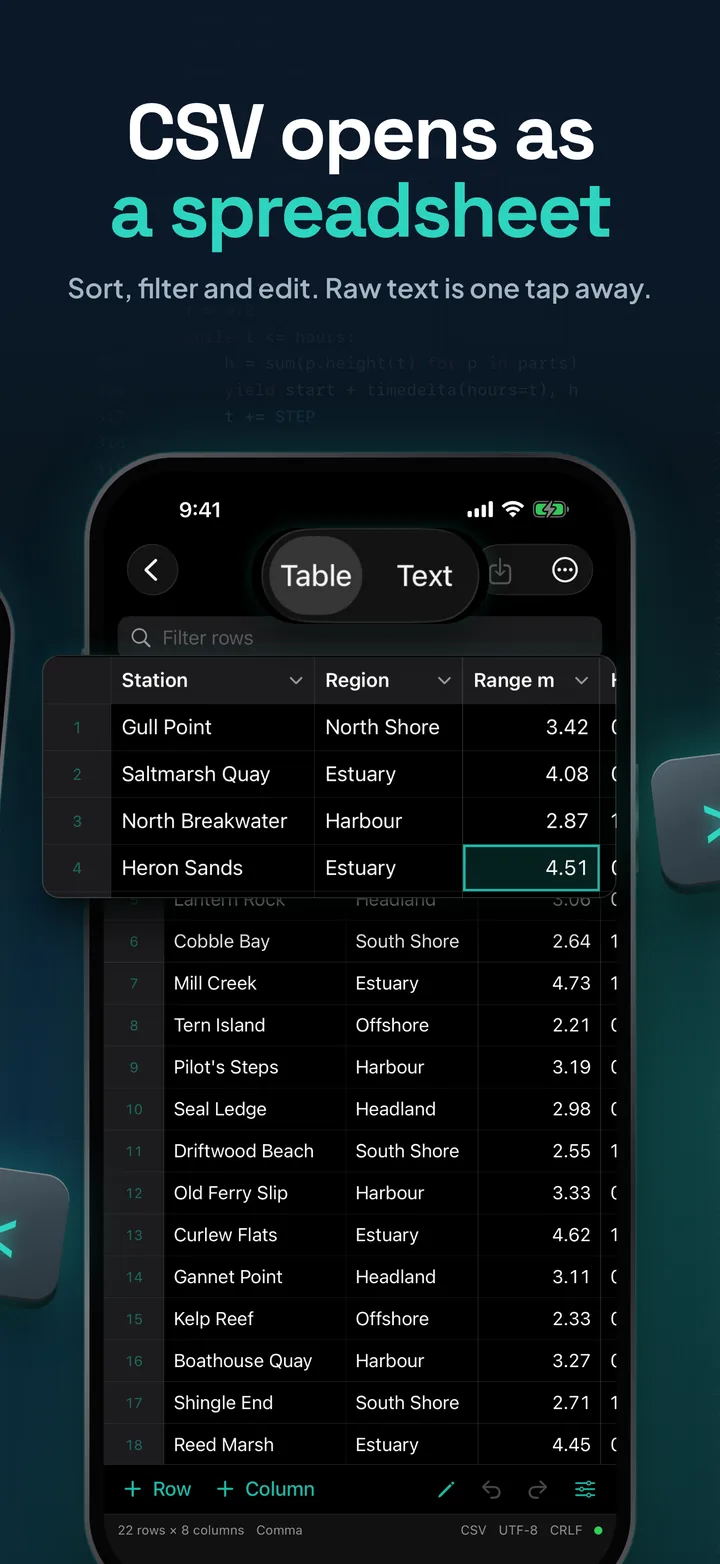
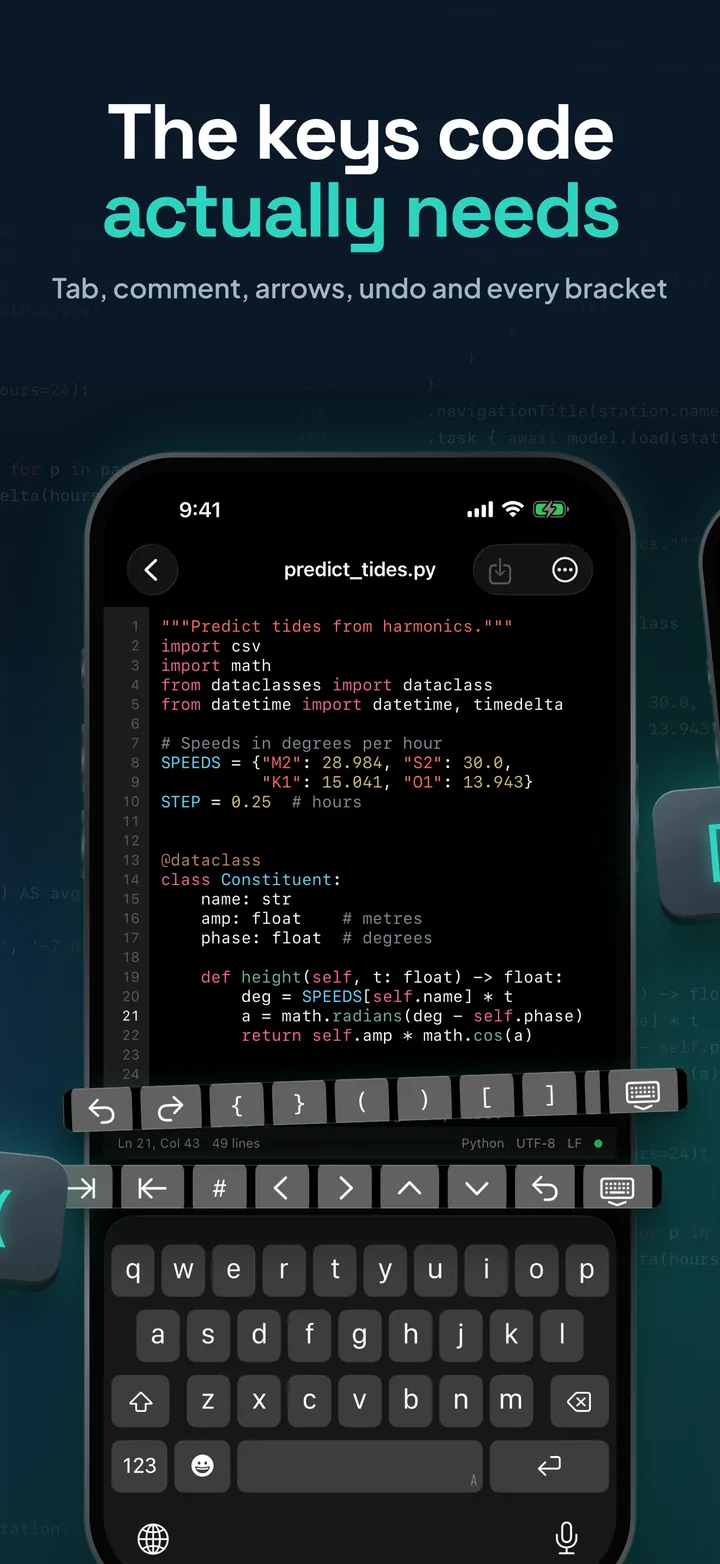
The keyboard gets a row of its own above it, with Tab and outdent, a comment toggle, cursor keys, undo and redo, and the brackets and symbols that are buried on the iOS keyboard. CSV and TSV files open as a table you can sort, filter and edit cell by cell, and Markdown and HTML files have a preview a tap away.

42 Editor is an editor, not a place to run code. It does not compile or run anything, so your files stay exactly as you typed them.

Screenshots

The App Store set is one continuous picture, so keep swiping.

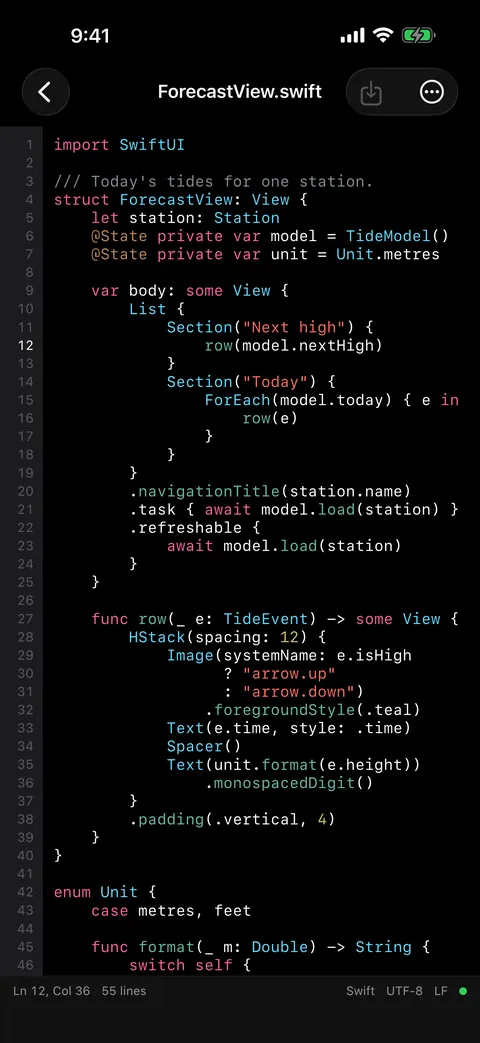
A code editor in your pocket: a Swift file open in dark mode with syntax highlighting, line numbers and the current line marked, and the status bar showing line 12, column 36, Swift, UTF-8 and LF.
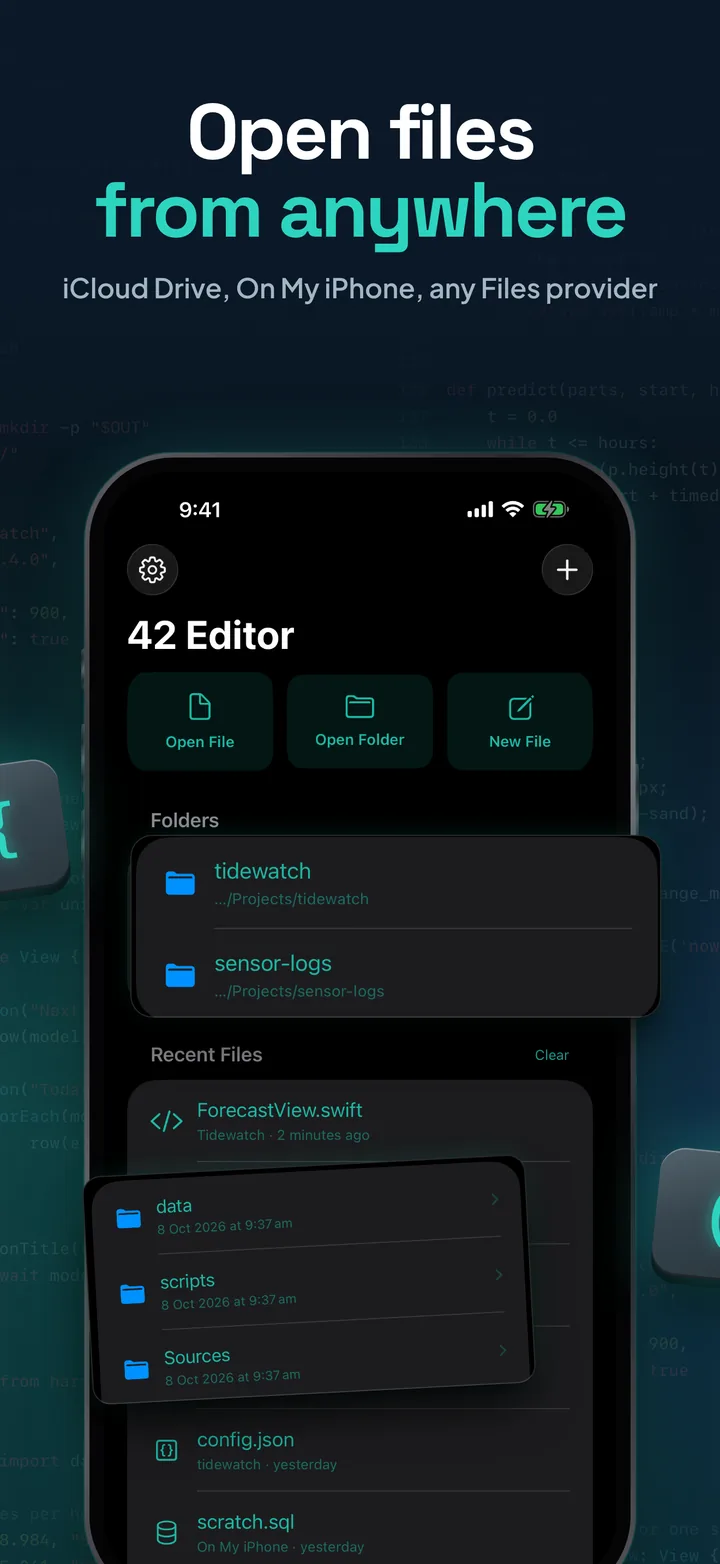
Open files from anywhere: the 42 Editor home screen with Open File, Open Folder and New File, two opened folders and recent files, with the tidewatch folder's contents lifted out beside the phone.
The keys code actually needs: a Python file with the keyboard up and the developer key row above it, with tab, outdent, comment, arrow, undo and bracket keys.
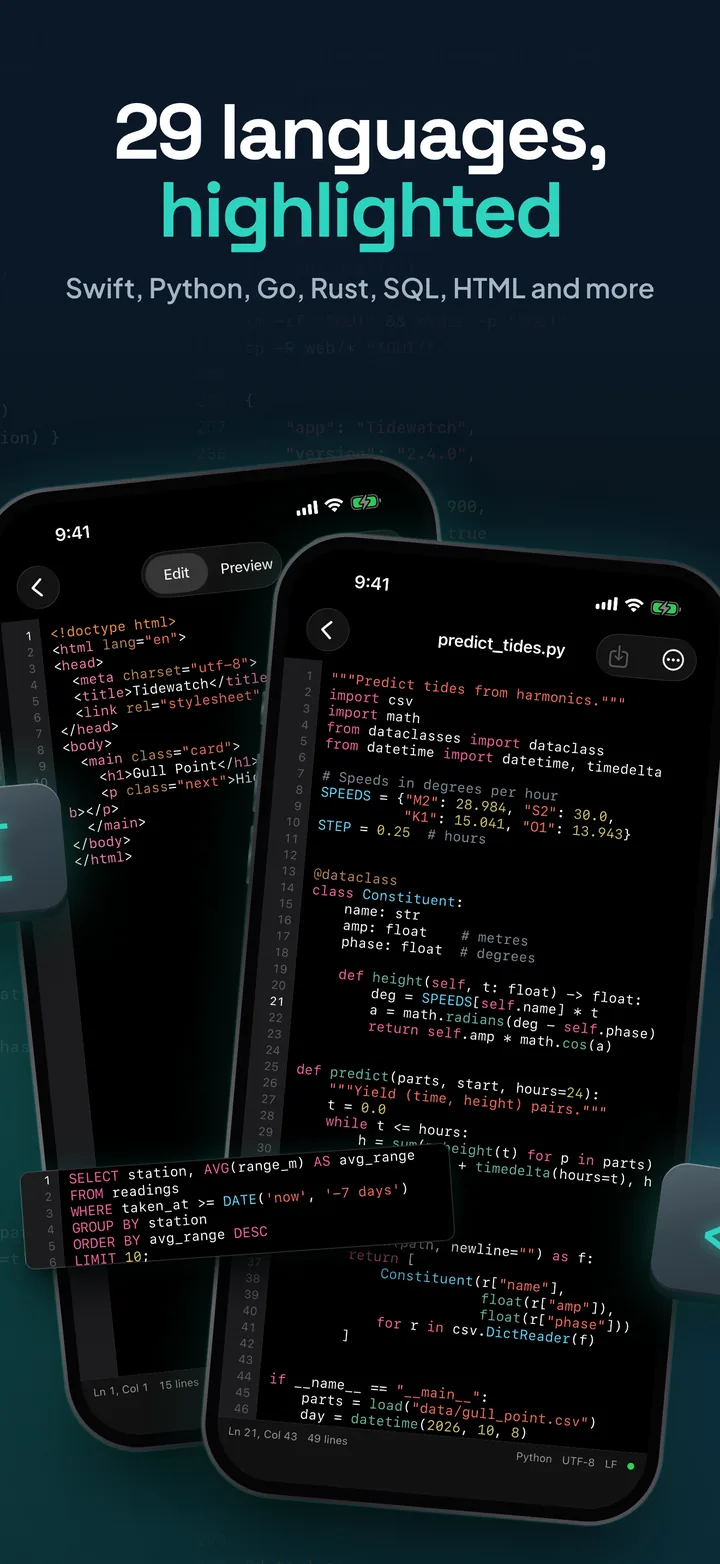
29 languages, highlighted: an HTML file and a Python file side by side, with a highlighted SQL query lifted out beside them.
CSV opens as a spreadsheet: a CSV of tide stations in the table view with a pinned header row, row numbers and a selected cell, 22 rows by 8 columns.
Find and replace: the find bar searching for model with forecast as the replacement, and every match highlighted in the Swift file.
Markdown, previewed: a README in Preview mode in light mode, with headings, a task list, a table and a code block, and its Markdown source beside the phone.
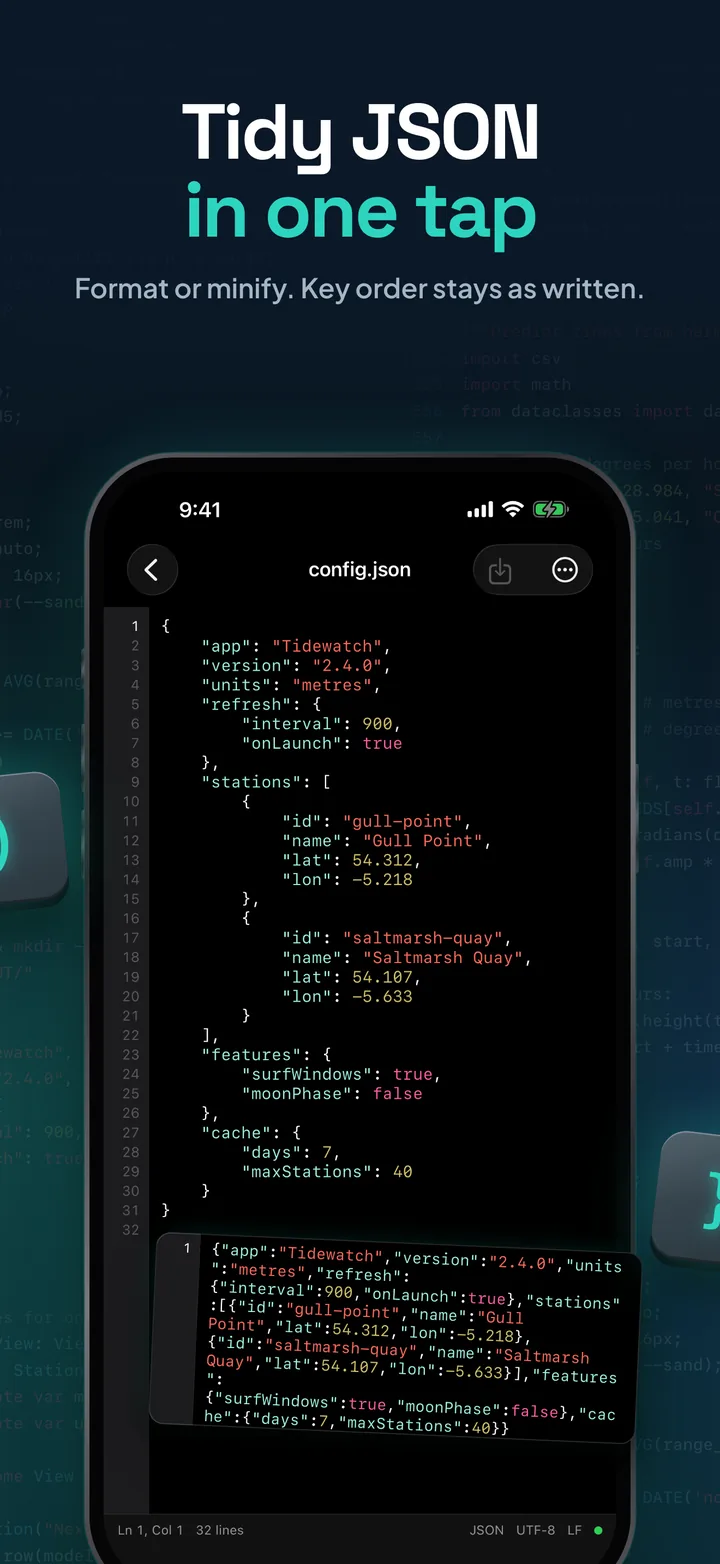
Tidy JSON in one tap: a config file formatted over 32 indented lines, with the original one-line minified version beside it.
42 Editor, code, config and CSV files on iPhone: the app icon with 29 languages, CSV tables, edits in place and nothing uploaded.

Swipe or scroll sideways: each panel picks up where the last one ends.

Key Features

  • Edit in Place

    Open File or Open Folder from any provider in the Files app. Changes go back to the original, and recent files reopen with one tap.

  • Syntax Highlighting

    29 languages, from Python, Swift and JavaScript to SQL, YAML and Dockerfile, with light and dark palettes.

  • A Keyboard Row for Code

    Tab and outdent, comment toggle, cursor keys, undo, redo, and the symbols the iOS keyboard hides.

  • Find and Replace

    The system find panel, Go to Line, toggle comment, and indent or outdent a whole selection.

  • CSV and TSV as a Table

    A grid with a pinned header row. Edit cells, add, duplicate or delete rows and columns, sort, filter, and undo.

  • Markdown and HTML Preview

    Switch between Edit and Preview. Headings, lists, tables, code blocks and task lists in Markdown; HTML as a page.

  • Careful Saving

    Keeps each file's encoding, line endings and final newline. Autosaves two seconds after you stop typing, and asks first if another app changed the file.

  • Nothing Uploaded

    No account, no analytics and no ads. Your files stay on your device and in the providers you choose.

Read moreShow less

More

  • Folders. Create, rename, duplicate and delete files and folders inside a folder you opened. Opened folders are remembered on the home screen.
  • Open in 42 Editor from the Files app and the share sheet. New files go to On My iPhone › 42 Editor, which also shows up in the Files app.
  • Auto-indent, with an extra level after an opening bracket and after a colon in Python, optional closing of brackets and quotes, and tabs or spaces at 2, 4 or 8 wide.
  • JSON format and minify, keeping the order of the keys.
  • Line numbers with the current line marked, and long lines that wrap or scroll sideways.
  • Text encodings: UTF-8 with or without BOM, UTF-16 and Windows-1252. Line endings: LF, CRLF and CR.
  • Large files: full highlighting up to 150 KB, highlighting of the visible part up to 3 MB, plain text above that, and files up to 20 MB.
  • Your look: System, Light or Dark, with the font size from 9 to 32 pt.
  • iPad as well as iPhone, with ⌘S to save on a hardware keyboard.

Twenty-nine languages, highlighted

The language is picked from the file name, and you can change it from the editor's menu.

  • Programming

    17 languages

    • Python
    • Swift
    • JavaScript
    • TypeScript
    • C
    • C++
    • Objective-C
    • C#
    • Java
    • Kotlin
    • Go
    • Rust
    • PHP
    • Ruby
    • Dart
    • Lua
    • R
  • Data and config

    5 formats

    • JSON
    • YAML
    • TOML
    • INI / config
    • XML
  • Web and writing

    3 languages, two with a preview

    • HTML
    • CSS
    • Markdown
  • Shell, queries and builds

    4 kinds of file

    • Shell
    • SQL
    • Makefile
    • Dockerfile

Any other text file opens as plain text. CSV and TSV files open as a table, with the raw text one tap away.

App Information

Quick facts about 42 Editor for iOS

Developer
CS42
Availability
Out now on the App Store
Price
Free
Category
Developer Tools
Compatibility
iOS 17.0 or later · iPhone & iPad
Languages
English
Age Rating
4+
In-App Purchases
None
Account
None needed
Data Collected
None
Syntax Highlighting
29 languages, light and dark
Works Offline
Yes. Files in cloud providers sync through the provider

Support

Questions about 42 Editor?

42 Editor is free on the App Store. For anything at all, including a file the editor doesn't handle well or a language you'd like highlighted, write to us:

View FAQHide FAQ

Where can I get 42 Editor?

On the App Store, free for iPhone and iPad with iOS 17 or later, with nothing to buy inside the app.

Which files can it open?

Any text file up to 20 MB: source code, scripts, config files, logs, Markdown, HTML, CSV and TSV. Twenty-nine languages are highlighted, and anything else opens as plain text. If a file looks like binary data, the editor says so before you open it as text.

Does it work with iCloud Drive, Dropbox or Working Copy?

Yes, with any provider that appears in the Files app. Open a file or a whole folder, and your changes are saved back to the same place.

What if another app changes the file while it's open?

42 Editor notices before it saves. Autosave pauses and it asks whether to keep your version or reload the file from disk.

Will it change my file's encoding or line endings?

No. It keeps the encoding (UTF-8 with or without BOM, UTF-16 or Windows-1252), the line endings (LF, CRLF or CR) and whether the file ends with a newline.

Can it run my code?

No. 42 Editor edits and previews files. It doesn't compile or run code.

Does it upload my files?

No. There is no account and no server. Files stay on your device and in the providers you choose. The only time the app reaches the web is when an HTML or Markdown file you preview refers to images or scripts online, and those requests go to the sites in the file, never to us.

We typically respond within 48 hours.